
A picture conveys a thousand words. Or in my case, fourteen.
#2 in the Mostly Unlearning Accessible and Inclusive Social Media series

Welcome to Mostly Unlearning, a newsletter that amplifies accessibility, inclusion, and disability voices towards more impactful commercial and human outcomes.
I originally planned this edition to be about video captions and why auto-captions still need human editing. That will have to wait.
Because this week, I’m unlearning out loud.
Last week’s edition, “Accessibility is a prerequisite to allyship from the disability community”, failed at the first hurdle. The header image wasn’t accessible. There was no option to add alt text, and I made an (incorrect) assumption about what happened when there is no option for alternative text. Which really speaks to the byline of this newsletter.
The habit of inclusion is underpinned by learning and unlearning. Mostly Unlearning.
This is the second edition in an ongoing series on accessible and inclusive social media. In 2026, I want to amplify more inclusive voices - but first, the content itself has to be accessible.
In this edition, I’ll explain:
What alt text is and where I went wrong
How alt text affects accessibility and AI readiness (AEO and GEO)
The difference between alt text and image descriptions
A simple, practical way to improve how we collectively amplify disabled voices
You can see mini explainer videos on Instagram or on Tiktok, read previous edition here or on LinkedIn. Make sure you’re subscribed to get access to the full accessible social media checklist - coming in February.
My alt-text fail (and why it matters)
Last week, I made an accessibility mistake in this newsletter on LinkedIn.
It happens. I’m not perfect at this.
I’m grateful to a brilliant accessibility and inclusion peer, Fiona Herron, who kindly messaged me to let me know the header image was missing alt text. Alt text is what a screen reader reads aloud when it encounters an image, and it must be added by the author for every meaningful image.
That’s the point of this series: building our collective capability around accessible social media. If we can’t be learn from each other, we can’t unlearn our abelism. I appreciate Fiona for reaching out and encourage you to get in touch if I’ve missed something. Please DM me or comment (kindly).
Alt text is the curb-cut effect in action
Alt text is often framed as an accessibility feature for blind or vision-impaired audiences. It might have started that way, but today, that’s incomplete.
Screen readers, originally designed for vision impairment, are now used far more broadly. Busy executives listen to documents while commuting. Parents listen while cooking. Dyslexics listen as an easier way to learn, or rest their eyes. I’ve even worked with someone with ADHD who learned best while pacing and listening. Some people simply have an auditory preference.
This widening benefit is known as the curb-cut effect.
In the 1970s, disabled students at the University of California, Berkeley, frustrated by missing classes while waiting for disability attendants, cut ramps into curbs. Those midnight curb cuts increased independence for wheelchair users and quickly proved useful for wheeling TVs between campuses, parents with prams, delivery workers and cyclists. The university saved money. It was a human and commercial benefit; access improved for everyone.
Today, curb cuts are standard urban design.
The curb-cut effect I’m watching closely now?
You guessed it, accessibility. Alt text, along with other accessibility standards and their emerging impact on AEO (Answer Engine Optimisation) and GEO (Generative Engine Optimisation).
Accessibility is AI readiness. Data increasingly shows 10–30% improvements in AEO and GEO when content is formatted to accessibility standards. AI performs better when it understands the entire message - text and images - and alt text provides that clarity. There is an upcoming edition digging into this - if you have research or knowledge, please share!
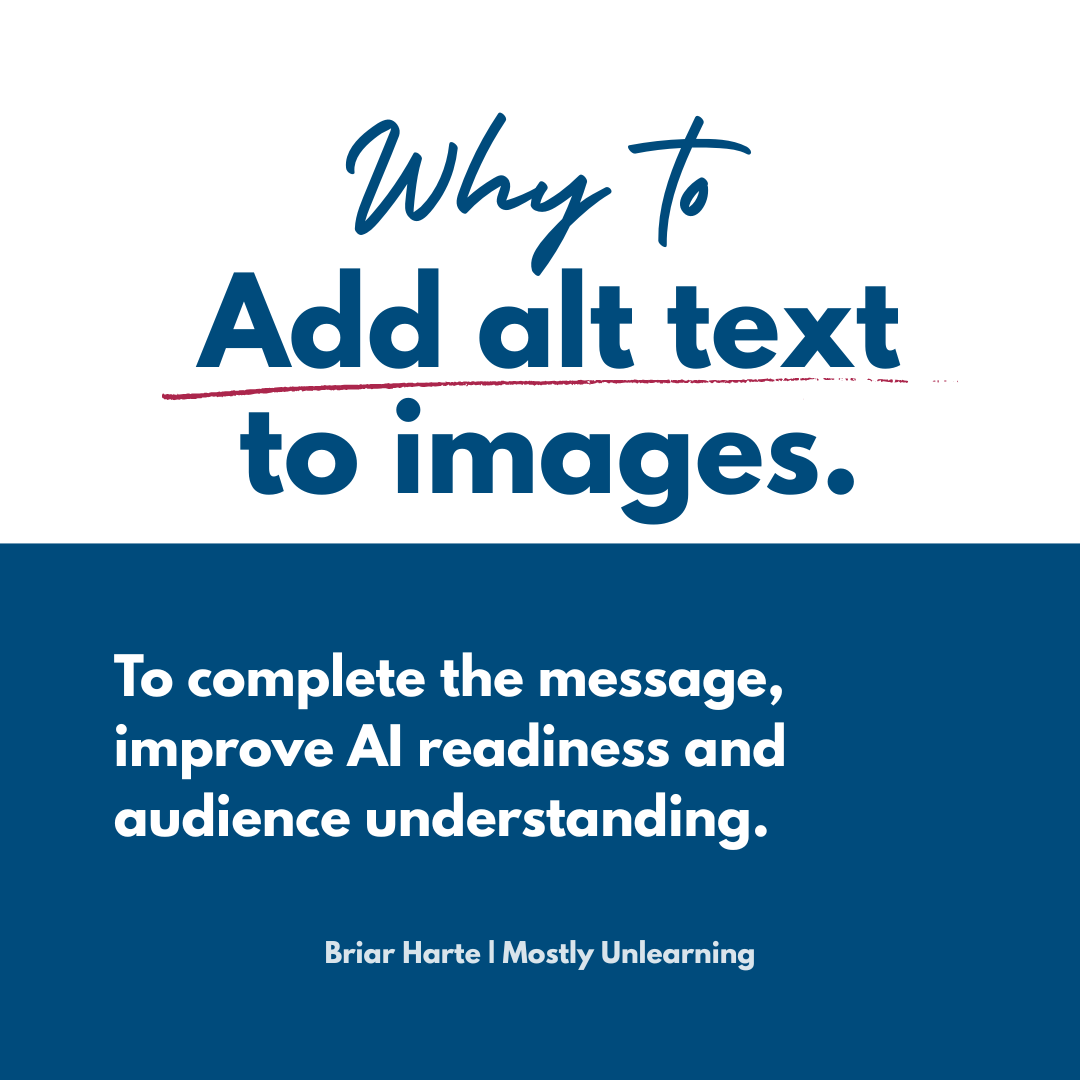
So, what is alt text?
Alt text, short for alternative text, is a text description of an image embedded in code. Historically, it’s been used by screen readers to provide the complete message.
Today, it’s also used by AI engines to accurately interpret images. AI can guess what’s in an image, with mixed results. It doesn’t know what about the image should be included in the overall message - that’s the author’s task.
Alt text:
describes the relevant aspects of an image
is not visible to sighted users
lives in the code, not the caption
platforms provide a manual way to input
Without a screen reader, I can’t tell whether alt text exists just by looking at an image. I also can’t add alt text if a platform doesn’t give me the option, which is exactly what happened with my LinkedIn newsletter header image.
I assumed (without testing) that a screen reader would skip past it.
It didn’t.
Why alt text matters
Images aren’t decorative extras*. On most platforms, they are the message.
We use visuals to simplify ideas, convey emotion, and cut through text. Social platforms prioritise image-based content. When an image carries meaning, that meaning must be available to everyone.
Alt text distils an image into its relevant information - enough for someone listening to understand the message without missing anything.
Until very recently, alt text was the only way a screen reader (or an AI) could know which part of an image was relevant to the message. AI can, sometimes, describe an image - but it needs the author to edit and make clear the relevant part of the image for the message.
*Some images are decorative extras, so make that clear.
Not every image carries meaning. Some exist purely for visual interest, and that’s okay.
In these cases,
mark the image as decorative
add “decorative image” to the alt text (depending on platform settings).
This tells screen readers to skip the image entirely and stops AI systems from inventing meaning. When an image has no alt text and isn’t marked decorative, screen readers let a listener know there is an image and sometimes AI to guess or make up meaning.
To the human using the screen reader, unfortunately, it’s often a signal that something important was left out.
Alt text vs image descriptions (they are not the same)
You might also see image descriptions (ID) included in the body of a post or in the first comment. They serve a different purpose. I use image descriptions when alt text is unavailable - as often happens in new platforms.
I once heard an autistic content creator say they used image descriptions to understand alistic meanings of images - but that doesnt seem to be a common use. Screen readers will read both if both are present. While that’s duplicative, most screen reader users listen at high speed, so it’s rarely an issue.
Maryam Ndope explains this better than I could in a recent post on LinkedIn.
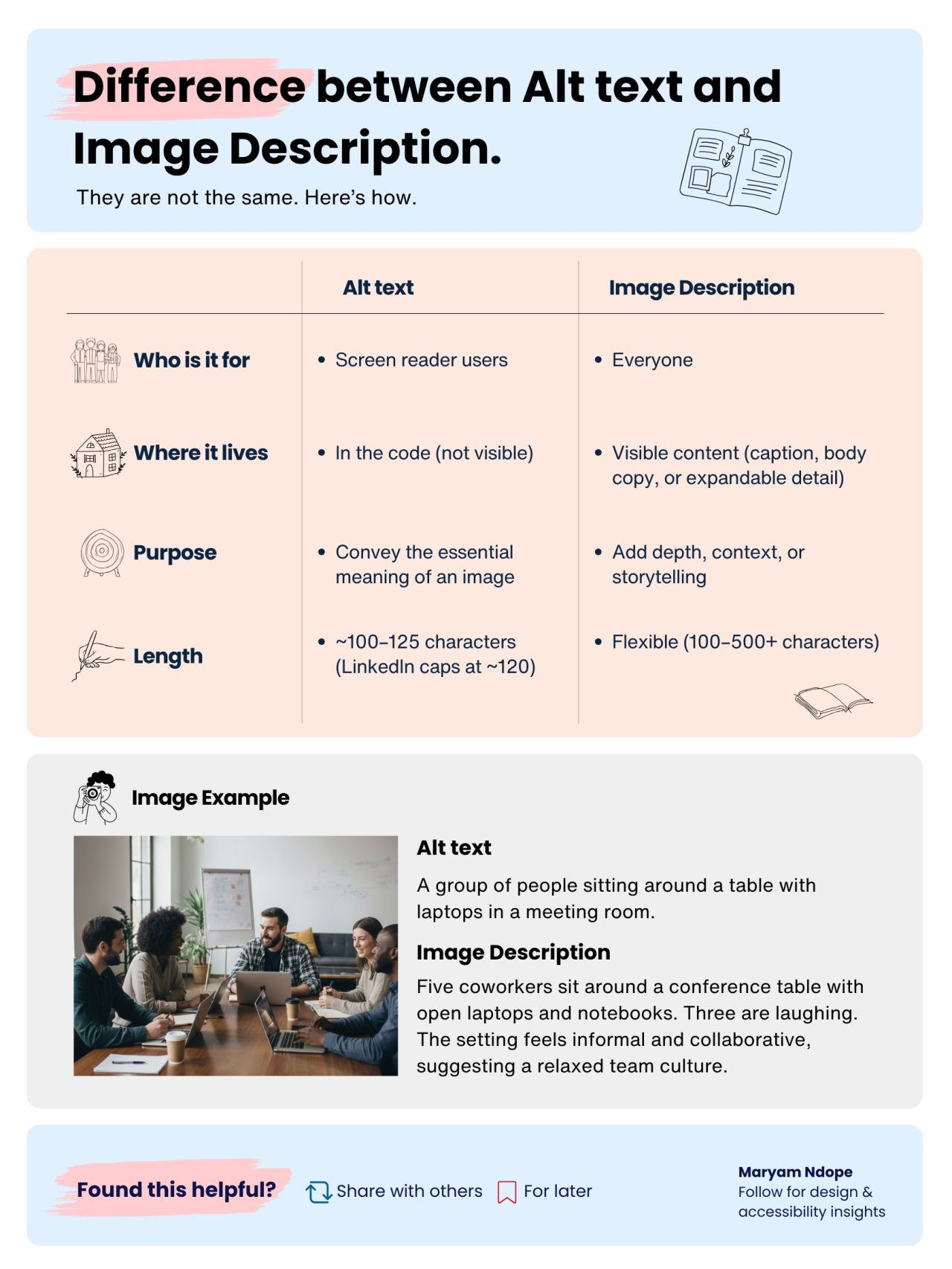
Image descriptions:
are visible to everyone
usually contain more detail
help readers decide whether to engage with the image
an alternative to alt text where alt text is not available
Alt text:
lives in the code
is optimised for screen readers and AI
should be concise and purposeful
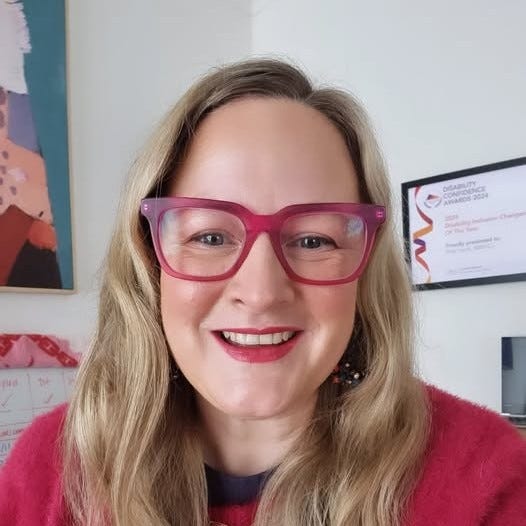
Alt text: “Headshot of Briar smiling to camera”
Image Description: Briar smiling to camera, with long blonde hair, red top, red lipstick and signature pink glasses. Her Disability Inclusion Changemaker award is in the background.
You’ll notice I don’t often use image descriptions.
What actually went wrong with my last newsletter
LinkedIn articles require a banner image but don’t allow alt text for that image.
Images added within the article do allow alt text.
I assumed that meant the banner image would be skipped by the screen reader. Instead, the image was announced without content. The fix? Adding a visible description or credit beneath the image.
Lesson learned. Assumptions aren’t accessibility.
When and how to add alt text
General guidance:
Always add alt text
Mark purely decorative images as decorative
Do this before posting, some platforms don’t allow edits
No need for image descriptions where alt text has been used
If an image repeats information already in the post, you can mark it as decorative rather than writing redundant alt text.
I don’t put alt text where the images are a repeat of the content in the post - either marking as decorative or adding the alt text “image stylises content in the post”.
By platform (quick guide)
LinkedIn. Alt text is prompted when you add the image in a post or article. If you forget, you can edit later.
On Instagram and TikTok it’s harder to find. It’s on the final page, under “More Options”, right at the very bottom. If you forget, you can edit later.
Substack newsletters, you can add alt text via the (...). I can’t figure out how to add alt text to an image added to Substack notes (desktop or mobile)
Microsoft products, it’s a right-click “view alt text” after adding an image. Or the accessibility checker will prompt you to add alt text or mark it as decorative.
On Canva (desktop), it’s a right-click; on mobile, click the image, then (…). Or the accessibility checker will prompt you to add alt text or mark it as decorative. Alt text doesn’t remain when you download an image, so this only really applies if someone is coming to Canva for your content.
Both Canva and Microsoft have accessibility checkers, making it very easy to fix accessibility issues. More on those in an upcoming edition.
Extra for brands and partnerships
Want to role-model accessibility? Include alt-text guidance in your brand guidelines.
It normalises the practice, sets expectations, and removes guesswork for creators. Accessibility scales when it’s designed into systems - not left to individuals.
I included the following for a recent article with Cheek Media
“Can you please ensure all socials have alt text on images, meet colour contrast standards (4.5:1), use #CamelCaseHashtags, links are over descriptive words (not “click here”) and any videos have the transcript edited. I dont use image descriptions, but have provided them just in case you do”
Unlearning prompts
Even when we know better, we still get it wrong. Consider unlearning:
who you assume uses screen readers
when an image actually carries meaning
how accessibility affects AI visibility
Join the unlearning.
If this edition helped you, forward it to someone who needs to improve the accessibility of their social media. If you’re on LinkedIn please click the notification bell (top right) on my profile to make sure you don’t miss anything.
My work is geared towards shifting systems to take the pressure off disabled people. You can subscribe to learn with me. I’ll share what I learn (and unlearn) about accessibility, inclusion and disability. Together, we can build more impactful commercial and human outcomes.
Disclaimer - accessibility is a legal requirement, and this checklist and campaign does not constitute legal advice or ensure your content is fully accessible. There may be additional criteria for compliant social media. This is general advice, and the checklist I use to scan content before sharing.
This is the first time anyone's explained the difference between alt text and image descriptions to me! Which is wild because I've made it a practice to write image IDs for every image I post for about a year and been calling these alt text (which I now understand they are different!). I've also had trouble adding alt text on notes too ... I don't think it's an option which really sucks and doesn't make sense😔 Especially given the amount of visual artists on this platform!!
This was so eye-opening to me - thank you!